E-learning and classroom. One platform.
Most platforms stop at self-paced courses. Hotline also runs the courses you deliver in person: venues, trainers, course dates, bookings, registers, and the exam at the end of the day. No separate booking system, no spreadsheets, no copy-paste between tools.
Training operations without the duct tape.
If you deliver classroom training, you know the stack: a spreadsheet for the schedule, a booking tool bolted onto the website, a mailbox full of joining instructions, and paper registers on the day.
The usual setup
- Course dates planned in a spreadsheet, double-bookings found the hard way
- A separate booking system that does not know what an LMS is
- Joining instructions written and sent by hand for every delegate
- Paper registers, then typing attendance into another system
- Exam papers in envelopes, results keyed in days later
- Certificate expiry dates tracked in yet another spreadsheet
With Hotline
- Drag-and-drop schedule calendar with clash warnings
- Public dated catalogue and booking checkout on your own site
- Branded joining instructions with calendar invites, sent automatically
- Trainers mark attendance on their phone or laptop, straight into the record
- The trainer unlocks the online exam in the room; results and certificates are instant
- Expiry tracking with automatic renewal reminders and rebook links
Plan the operation.
Everything a training coordinator juggles, in one calendar.
The training day, done properly
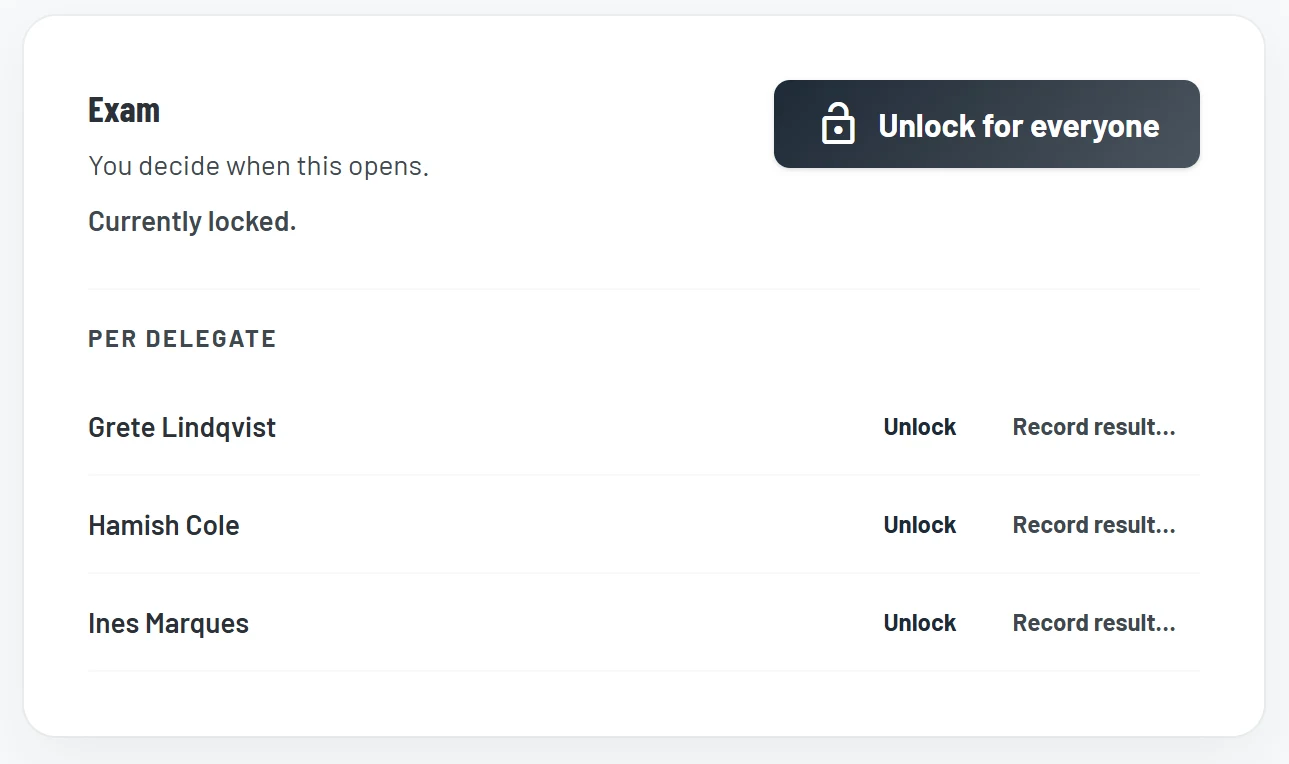
Delegates get their materials the moment they book. The exam stays locked until the trainer opens it in the room.
Accredited and regulated training has a rule e-learning platforms ignore: the assessment happens under supervision. Hotline enrols every delegate at booking so course materials open straight away, then holds the exam shut until the trainer releases it on the day, for the whole room or one delegate at a time.
- One-tap unlock for the whole event or per delegate
- Re-lock, or unlock late when the day runs long
- Auto, timed, manual, or on-attendance unlock modes per course
- Passes mark instantly and issue the certificate with its validity period
- Every unlock and override lands in an audit-grade ledger
Fill the room and get paid.
Your dated courses, bookable online, on your site and ours.
Run the day.
From joining instructions to the attendance register.
Training management questions
For training providers, every plan includes training management, and Provider Plus and Group add the API and webhooks. For employers training their own staff, it is on Elite, or an add-on to Enterprise. The pricing page has the full comparison, or book a walkthrough and we will talk you through it.
Yes. The embeddable booking widget drops into any website with a copy-paste snippet and shows your live course dates, remaining spaces, and booking buttons. It renders as real HTML rather than an iframe, so it is crawlable by search engines, and each widget is locked to the domains you allow.
Yes. Every course date has a delivery mode: classroom, virtual, or blended. Blended courses can require e-learning pre-work before the session, with automatic chaser emails for delegates who have not finished it, and the exam can be held until the pre-work is done.
Booking forms can collect dietary, accessibility, and medical needs. Those answers are encrypted at rest, excluded from general exports, and visible only to administrators and the trainer delivering that event.
Yes. Every provider plan includes the AI assistant connection. Ask which dates are below their minimum or have no trainer, book delegates, message a course or mark a register. Anything that emails people is previewed first and only happens when you say yes, and trainers only ever see their own dates.
Bookings are capacity-enforced, so a full course date can never oversell, even with two people checking out at once. Delegates can join the waitlist instead, and when a seat frees up the next person in the queue automatically receives an offer email with a time-limited accept link.
Run your next course date on Hotline.
See a course date scheduled, booked, delivered and certified on a demo training business in a 30-minute walkthrough.